Quick start
1. Create the Compose file
Section titled “1. Create the Compose file”Create docker-compose.yml with Dashmark and a read-only Docker socket proxy. The proxy exposes only the Docker endpoints Dashmark needs. If you prefer standard Docker commands, see Use Docker commands.
services:  dashmark:    image: ghcr.io/edmogeor/dashmark:latest    ports:      - '127.0.0.1:4321:4321'    volumes:      - ./data:/data    environment:      - DOCKER_HOSTS=tcp://dockerproxy:2375      - TZ=Etc/UTC # Set an IANA timezone, for example Europe/London.    depends_on:      - dockerproxy    restart: unless-stopped
  dockerproxy:    image: wollomatic/socket-proxy:1    read_only: true    cap_drop: [ALL]    security_opt: [no-new-privileges]    command:      - -allowfrom=dashmark      - -allowGET=/version      - -allowGET=/v1\\..{1,2}/containers/json      - -allowGET=/v1\\..{1,2}/containers/.*/stats      - -allowGET=/v1\\..{1,2}/events    volumes:      - /var/run/docker.sock:/var/run/docker.sock:ro
Do not expose the Docker socket or socket proxy to the public internet.
2. Add a card label
Section titled “2. Add a card label”Add at least one dashmark.* label to the Docker service. Set dashmark.url unless Dashmark can infer the URL from a supported Traefik Host(...) rule.
services: plex: image: plexinc/pms-docker labels: dashmark.url: https://plex.example.com dashmark.title: Plex dashmark.category: Media3. Start the stack
Section titled “3. Start the stack”docker compose up -dOpen Dashmark at the domain configured by your reverse proxy. For host-local access, use http://localhost:4321. Recreate a service after changing its labels:
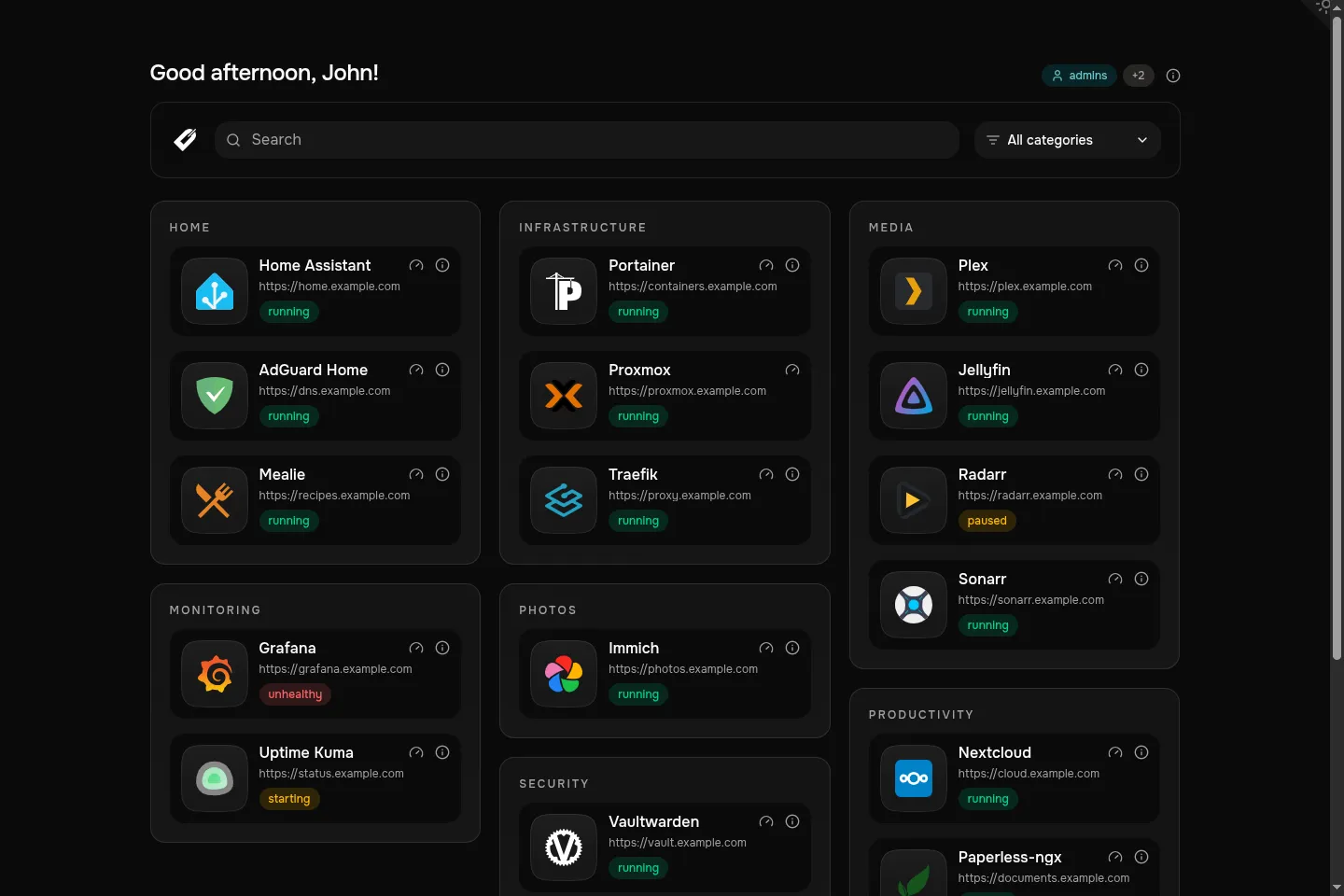
Dashmark groups discovered services into categories and adds status badges, search, and access-group tags when enabled.
docker compose up -d --force-recreate plexUse Docker commands
Section titled “Use Docker commands”Create a private Docker network, then start the restricted socket proxy:
docker network create dashmark
docker run -d \  --name dockerproxy \  --network dashmark \  --read-only \  --cap-drop ALL \  --security-opt no-new-privileges \  --volume /var/run/docker.sock:/var/run/docker.sock:ro \  wollomatic/socket-proxy:1 \  -allowfrom=dashmark \  -allowGET=/version \  '-allowGET=/v1\\..{1,2}/containers/json' \  '-allowGET=/v1\\..{1,2}/containers/.*/stats' \  '-allowGET=/v1\\..{1,2}/events'
Start Dashmark on the same network. Replace <bind-address> with a host IP such as 127.0.0.1, or omit the address and publish 4321:4321 to listen on every interface.
docker run -d \ --name dashmark \ --network dashmark \ --publish <bind-address>:4321:4321 \ --volume "$PWD/data:/data" \ --env DOCKER_HOSTS=tcp://dockerproxy:2375 \ --env TZ=Etc/UTC \ ghcr.io/edmogeor/dashmark:latestStart a service card with Docker labels:
docker run -d \ --name plex \ --label dashmark.url=https://plex.example.com \ --label dashmark.title=Plex \ --label dashmark.category=Media \ plexinc/pms-dockerContainer labels are set when a container is created. Remove and run the service again after changing its labels.